

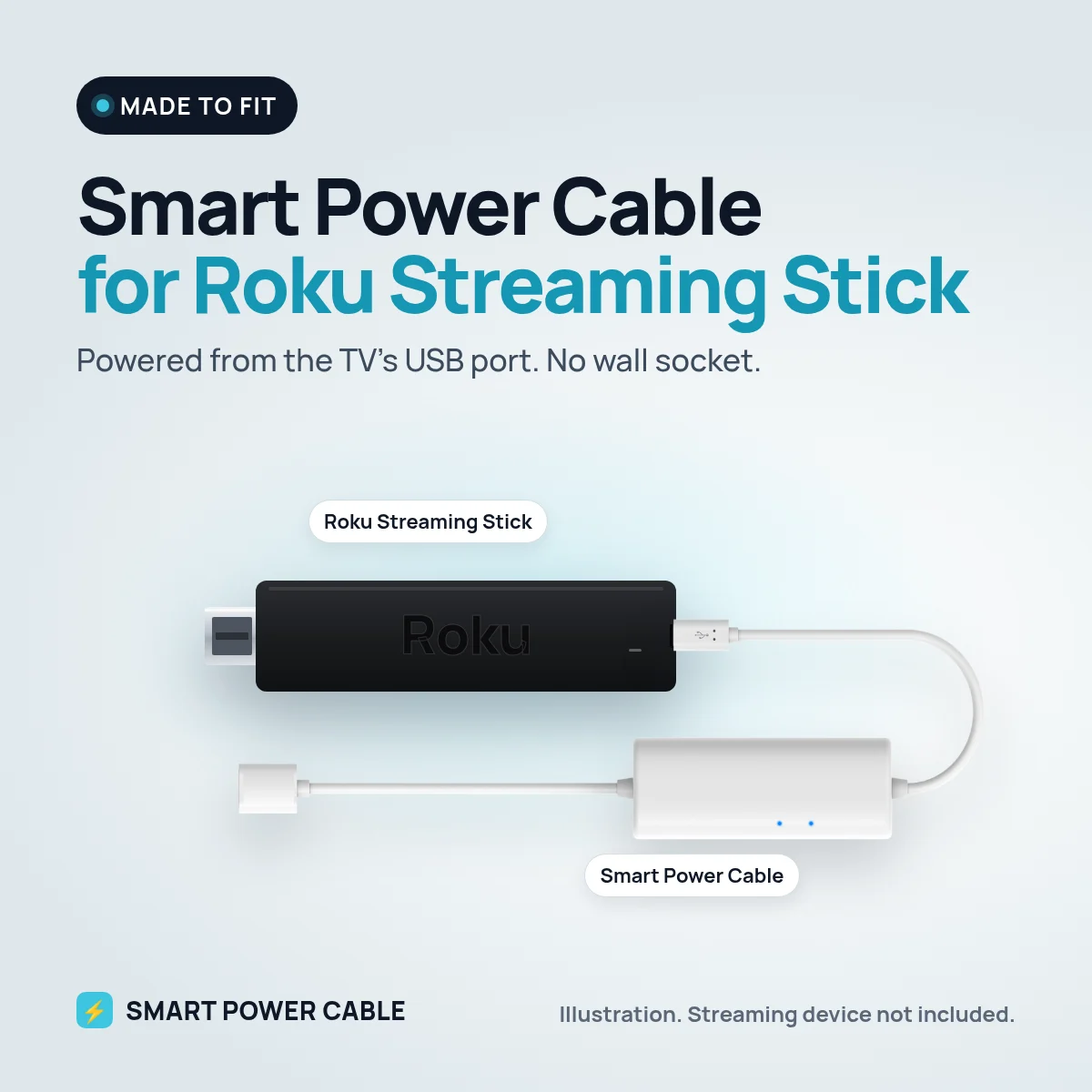
The Roku Streaming Stick plugs straight into the TV’s HDMI port, so it makes sense to power it from the TV’s USB port too. Many TV USB ports are made for small loads and cannot keep up when the stick works hard. Smart Power Cable closes that gap, and we have tested it with the Roku Streaming Stick.
Why the TV’s USB port is not always enough
A typical TV USB port is meant for things like a memory stick. When the Roku Streaming Stick starts up, connects to Wi-Fi or plays video, it briefly needs more than a weak port can supply. That can make the stick restart, freeze or lose the picture.
How the Smart Power Cable helps
Our cable has a built-in energy buffer that fills from the USB port and releases energy when the Roku Streaming Stick draws more than the port can give. The stick gets steadier power and can run from the TV without a separate wall plug.
Charge it for about 60 minutes before first use. After that it tops itself up from the port.
Installation
- Plug the Roku Streaming Stick into an HDMI port on the TV.
- Connect Smart Power Cable to the stick’s power input.
- Plug the USB end into the TV’s USB port. If your TV has a USB 3.0 port, use that one.
- Turn on the TV and follow the Roku setup.
Roku has made several Streaming Stick models over the years. Check the power input on your stick before you order, and get in touch if you are unsure.
At home, in the motorhome or on the boat
At home, the cable keeps the wall-mounted TV free of plugs. The Roku Streaming Stick is small and easy to move between TVs, so many people bring it to the motorhome or caravan. With our cable it runs from the USB port on a 12 V TV, or from a 12 V USB socket if the TV port is too weak. It suits boats and cars with a screen too.
Specifications
- Works with: Roku Streaming Stick
- Input: powered USB port, USB charger or 12 V USB socket
- Built-in energy buffer for peak demand
- First charge: about 60 minutes recommended
- Tested by us with the Roku Streaming Stick
- Patented design
Frequently asked questions
Can a Roku Streaming Stick run from the TV’s USB port?
It can start, but many TV ports are too weak for reliable use. Smart Power Cable buffers energy so the stick has enough at the peaks.
What about the USB cable that came with my Roku?
On some Roku Streaming Stick models, Roku’s own USB cable also carries the Wi-Fi receiver. Smart Power Cable gives the stick steady power. If the Wi-Fi signal is weak behind your TV, ask us before you order.
Can I leave it plugged in?
Yes. The cable is made to stay connected and tops itself up from the USB port.
Does a Roku Streaming Stick work in a caravan on 12 V?
Yes. Use the TV’s USB port or a 12 V USB socket with Smart Power Cable. No inverter needed.


Reviews
There are no reviews yet.